
Configurable dashboards for the Lesli Framework.




Introduction
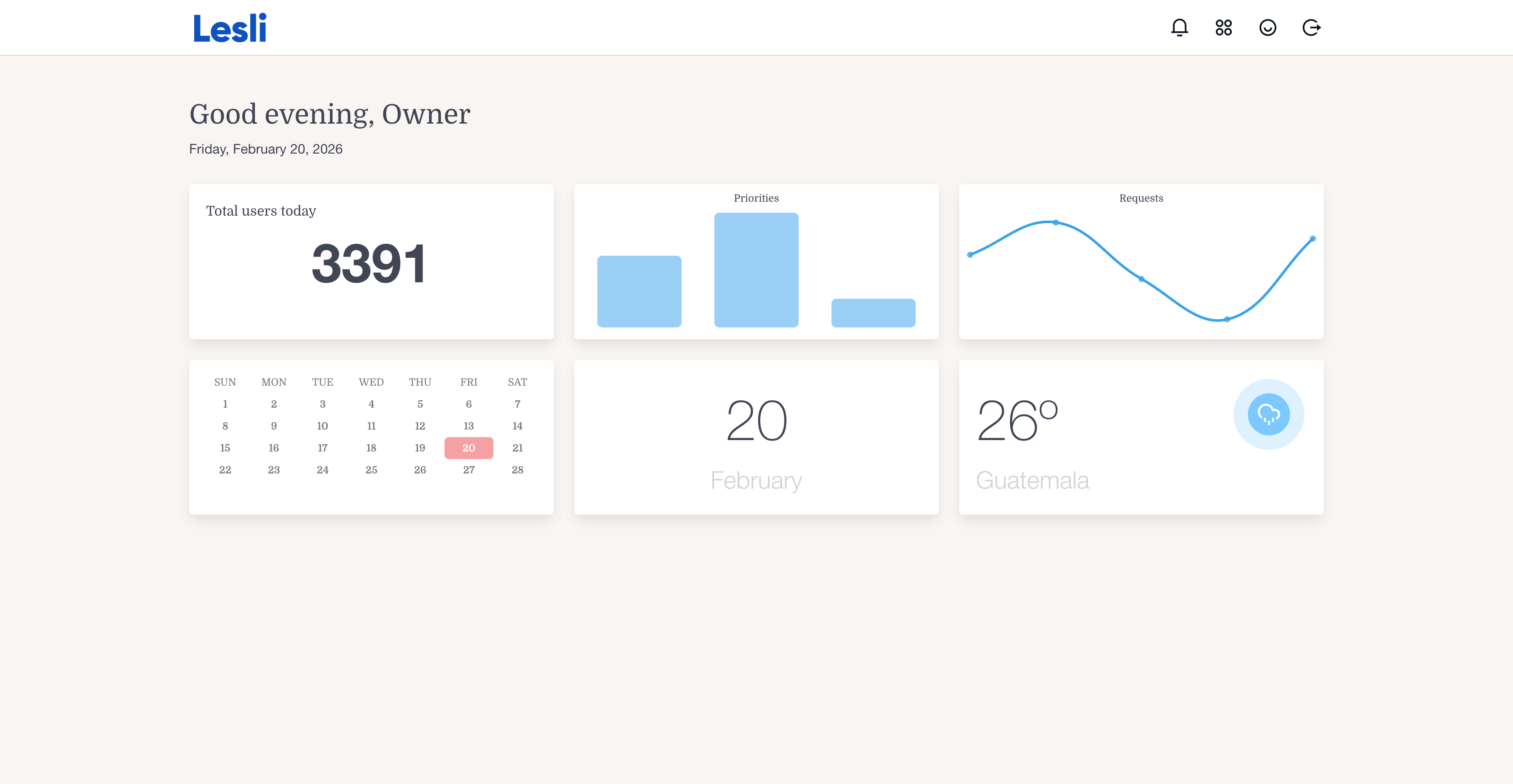
LesliDashboard is the official dashboard engine for the Lesli Framework.
It lets applications compose reusable, configurable dashboards from account-scoped components.
Features
- Multiple dashboards per account and engine, with one active default
- Automatic initialization during account signup; repeatable registration for existing accounts
- A widget editor for adding repeated instances, resizing, reordering, and removing widgets
- Explicitly declared configuration fields, with HTML, Turbo, and JSON responses
- Account-scoped access and optional LesliShield authorization
- Responsive LesliView widgets and navigation between dashboards
Try LesliDashboard
Quick Start
Requirements
- A Rails application with Lesli
- SQLite by default, or PostgreSQL when preferred by the host application
Install LesliDashboard
Add the engine to the host Rails application and prepare its database:
bundle add lesli_dashboard
bin/rails lesli:db:prepare
Mount the engine
Applications using Lesli's standard router mount LesliDashboard automatically at /dashboard:
# config/routes.rb
Rails.application.routes.draw do
    Lesli::Router.mount(self)
end
If the application does not use the standard Lesli router, mount the engine directly:
# config/routes.rb
Rails.application.routes.draw do
    mount LesliDashboard::Engine => "/dashboard"
end
Start Rails and visit http://127.0.0.1:3000/dashboard:
bin/rails server
Development
Clone LesliDashboard into the host application's engines directory:
cd RailsApp
mkdir -p engines
git clone https://github.com/LesliTech/LesliDashboard.git engines/LesliDashboard
Reference the local engine from the host application's Gemfile:
gem "lesli_dashboard", path: "engines/LesliDashboard"
Install dependencies, prepare the host database, and start Rails:
bundle install
bin/rails lesli:db:prepare
bin/rails server
Tests
From the engine directory, run the suite. Rails prepares the test database from the dummy schema:
bundle exec rake test
Use DATABASE_URL to select an isolated SQLite or PostgreSQL test database. For unreleased local Core and LesliView changes, use the workspace manifest described in the testing guide. It loads Core and Dashboard without the other engines. PostgreSQL tests exercise concurrent registration and default promotion using separate connections.
Documentation
- Dashboard contract
- Widget registration and editor
- Initialization task
- Schema and breaking changes
- Testing
- Lesli website
- Documentation
- Release notes
- Issue tracker
- Source code
Community
License
Copyright (c) 2026, Lesli Technologies, S. A.
This program is free software: you can redistribute it and/or modify it under the terms of the GNU General Public License as published by the Free Software Foundation, either version 3 of the License, or (at your option) any later version.
This program is distributed in the hope that it will be useful, but WITHOUT ANY WARRANTY; without even the implied warranty of MERCHANTABILITY or FITNESS FOR A PARTICULAR PURPOSE. See the GNU General Public License for more details.
You should have received a copy of the GNU General Public License along with this program. If not, see https://www.gnu.org/licenses/.
The complete license text is available in the license file.

The Open-Source SaaS Development Framework for Ruby on Rails.
Last Update: 2026/11/16